

Activating Coupons
It is recommended to activate your cloud service coupon on my.birdfy.com.
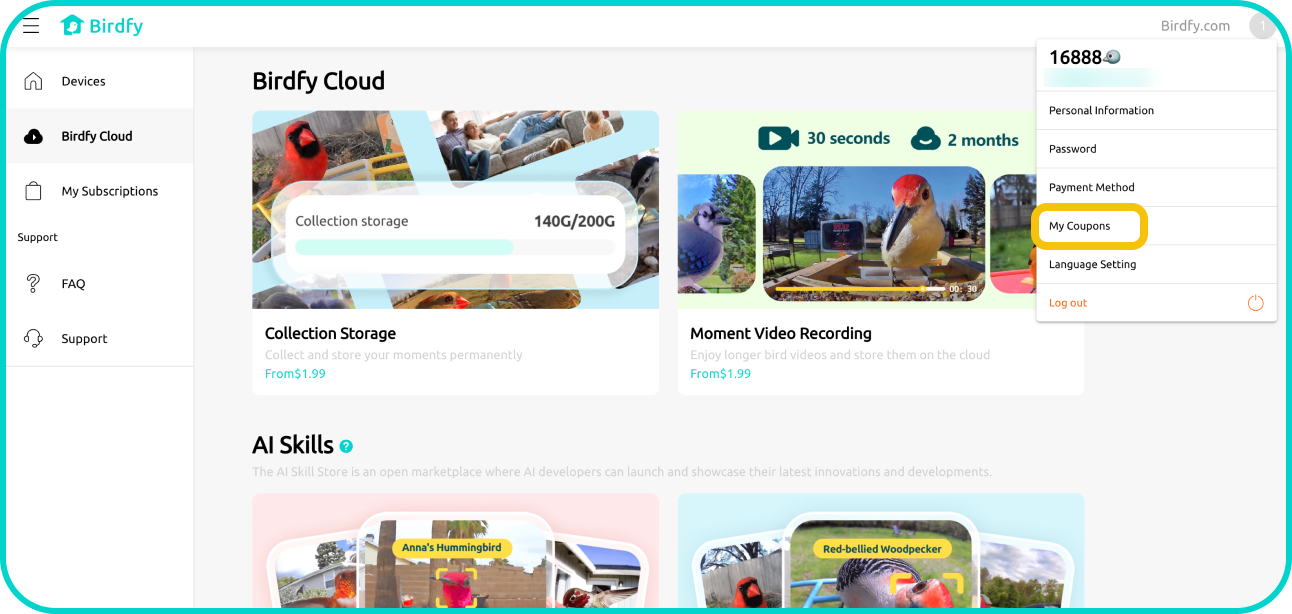
- Log in to my.birdfy.com with your Birdfy account. Tap the profile icon in the top-right corner, then select "My Coupons" from the menu.
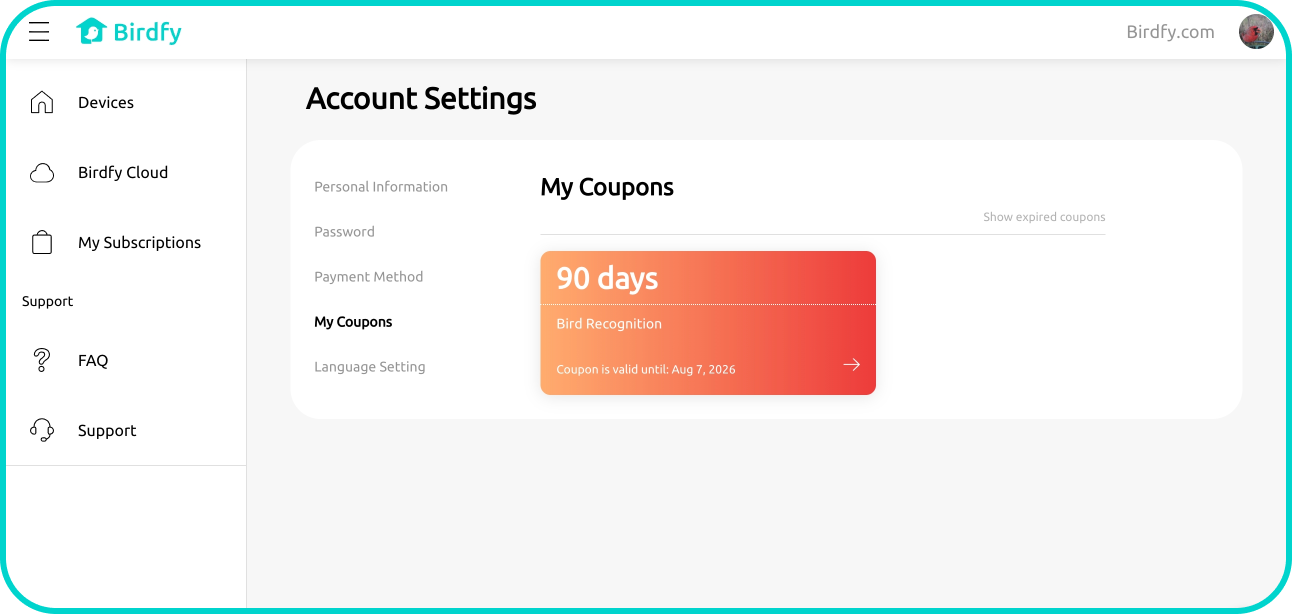
- You’ll see a list of available coupons. Select the coupon you want to use.
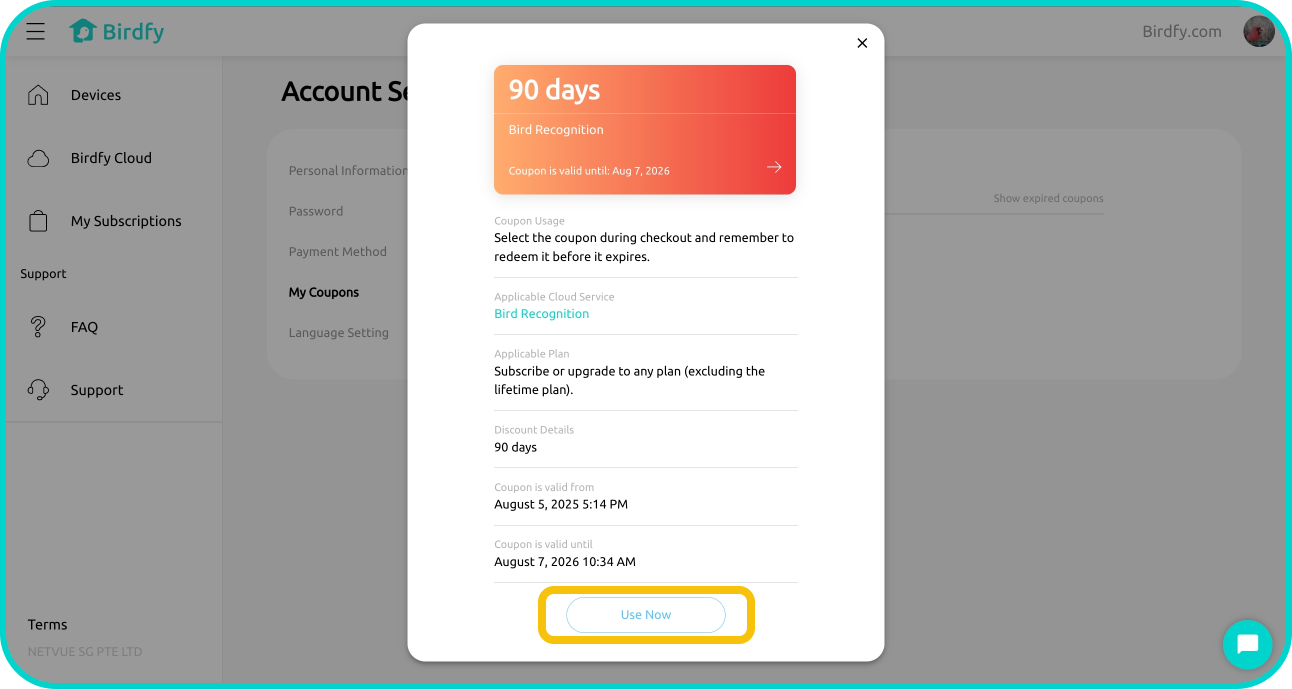
- Scroll down and tap "Use Now", then follow the on-screen instructions to activate the coupon.
Note: Activating a cloud service coupon requires providing your credit or debit card information. This step is necessary for activation but does not incur any charges. Once the coupon is activated, you will be automatically subscribed to the cloud service. If you do not wish to continue using the service after the coupon's free trial, you can cancel the subscription anytime by navigating to My Subscriptions and unsubscribing.