
FAQ
- 1. What is the difference between the old and new Birdfy Nest Duo?
- 2. How do I watch birds on my phone?
- 3. How do I pair the Birdfy Nest Duo with the Birdfy app?
- 4. Does the Birdfy Nest Duo require Wi-Fi or network cables?
- 5. Can the Birdfy Nest Duo be used in rainy or snowy weather or in Canada?
- 6. Where are my bird videos and photos saved?
- 7. How does the remote camera controller work?
- 8. How does the Story feature work?
1. What is the difference between the old and new Birdfy Nest Duo?
- All control units (power button, reboot button, charging port) have been relocated to the exterior camera in the new Birdfy Nest Duo, allowing operation without disturbing birds.
- Each new Birdfy Nest Duo includes a camera controller with a 10-foot (3-meter) cable for remote operation, reducing disturbances to birds.
- The new Birdfy Nest Duo supports Bluetooth pairing, offering two methods: Bluetooth pairing and standard QR code pairing.
- Infrared light has been added to the new Birdfy Nest Duo, providing a bird-friendly option for night vision.
- Each new Birdfy Nest Duo features a 5W solar panel, offering enhanced power compared to the original 3W panel.
2. How do I watch birds on my phone?
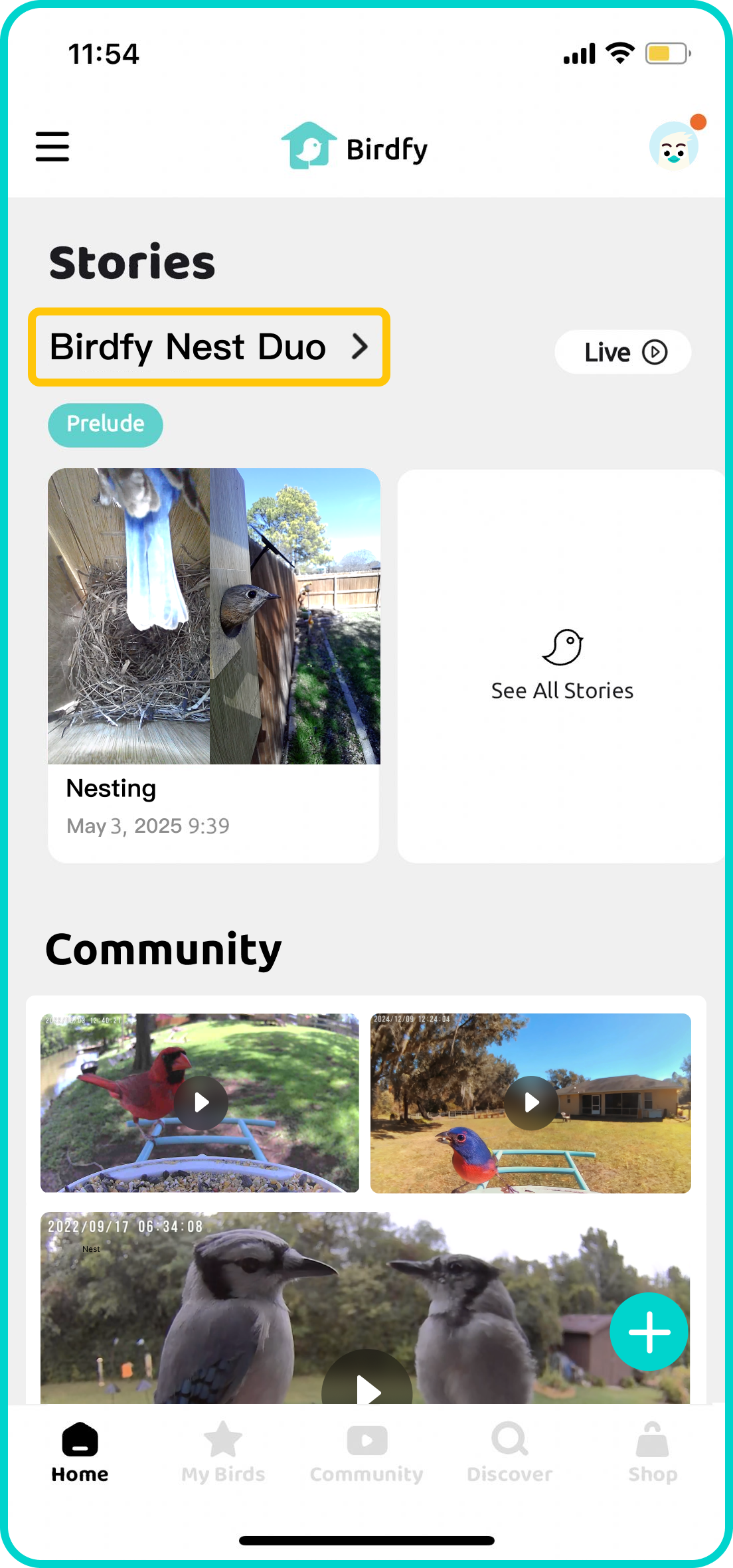
Once your Birdfy device is paired, just sit back and wait for your first feathered visitor. All footage from your birdhouse camera is uploaded to the cloud, where our AI automatically finds the bird moments and presents them to you in the Story section of the app. To view a Story in full, simply tap the name of your Birdfy device.
3. How do I pair the Birdfy Nest Duo with the Birdfy app?
Ensure your device is fully charged before starting the pairing process. Download the latest version of the Birdfy app from the App Store or Google Play. After downloading, create an account, select 'Add Device' on the home page, choose the product you purchased, and follow the in-app instructions to pair your device. *Please make sure you are using a 2.4GHz Wi-Fi network.
4. Does the Birdfy Nest Duo require Wi-Fi or network cables?
It connects via Wi-Fi, specifically on the 2.4GHz frequency. Why 2.4GHz? Compared to 5GHz, it offers a wider range and stronger signal through walls, making it ideal for outdoor use. This frequency is a common standard for most security cameras and smart devices, ensuring a stable and reliable connection.
5. Can the Birdfy Nest Duo be used in rainy or snowy weather or in Canada?
The Birdfy Nest Duo operates within a temperature range of 14℉ to 113℉ (-10℃ to 45℃). If the temperature falls outside this range, the camera may not power on or record motion-triggered videos. With an IP66 waterproof rating, the Birdfy Nest Duo is built to withstand rain and snow, ensuring reliable performance in various weather conditions.
6. Where are my bird videos and photos saved?
Your bird videos and photos are stored in the cloud, so no need to worry about using up your local storage (phew!). Birdfy provides FREE unlimited cloud storage for the duration of the current story. Once the story ends, you’ll have 30 days to download your videos before they are permanently deleted.
7. How does the remote camera controller work?
With the included 10-foot range camera controller, you can easily manage the power, settings, and even reboot the Birdfy Nest Polygon from a safe distance. No need to disturb your feathered friends—keep their space sacred while ensuring everything runs smoothly with remote access!
8. How does the Story feature work?
Story is a unique Al function available on the Birdfy Nest Duo. lt consists of two parts: bird behavior identification and automatic video clip generation.
- Bird Behavior ldentification: Al recognizes bird actions, notifying you of key stages like nesting and hatching, storing them as video clips.
- Automatic Video Clip Generation: Post fledging, Al merges and edits clips into engaging breeding process videos.
Note: Story is free, activated automatically with Birdfy Nest Duo.