

FAQ
- 1. How do I watch birds on my phone?
- 2. Can more than one person connect to one Birdfy Camera Cyan?
- 3. Does the Birdfy Camera Cyan have cloud storage?
- 4. Does the Birdfy Camera Cyan support MicroSD card storage or playback?
- 5. What kind of cloud services can I subscribe to?
1. How do I watch birds on my phone?
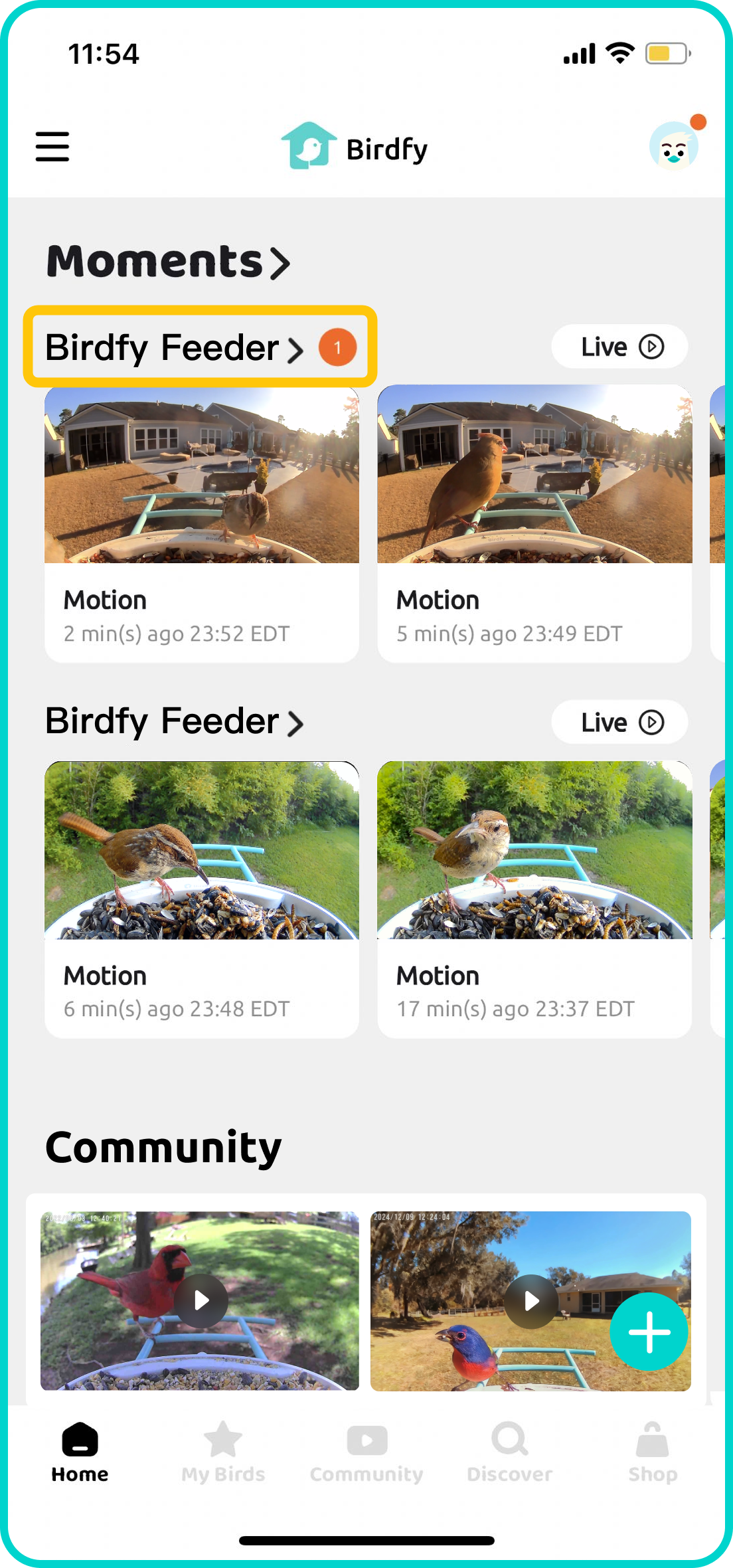
Once your Birdfy device is paired, simply wait for the first bird to visit! All detected activity will be shown in the Moment section on the Birdfy app's home screen.
To view a list of all the recorded content, tap the name of your Birdfy device. If AI Bird Recognition is activated and a bird is successfully identified, a bird name tag will appear underneath the corresponding video.
2. Can more than one person connect to one Birdfy Camera Cyan?
Yes. In the Birdfy app, you can share your camera with an unlimited number of accounts. Simply follow the app's instructions: My Devices > Settings > How to Share. Shared guests will have access to the live feed and recorded clips. But they will not be able to alter any settings or delete your videos.
3. Does the Birdfy Camera Cyan have cloud storage?
Absolutely! The Birdfy Cam Cyan comes with unlimited cloud storage, with a 30-day retention period. Videos recorded over 30 days ago will be deleted. So be sure to download your favorites or save them permanently to your collection.
4. Does the Birdfy Camera Cyan support MicroSD card storage or playback?
No. Birdfy Camera Cyan only supports cloud storage.
5. What kind of cloud services can I subscribe to?
There are three types of cloud services available for the Birdfy Camera Cyan:
- AI Bird Recognition - Identifies bird species and generates daily feeder highlights.
- Collection Storage - Expands storage space for clips you want to keep permanently in the cloud.
- Moment Video Recording - Extends the length of auto-recorded clips.